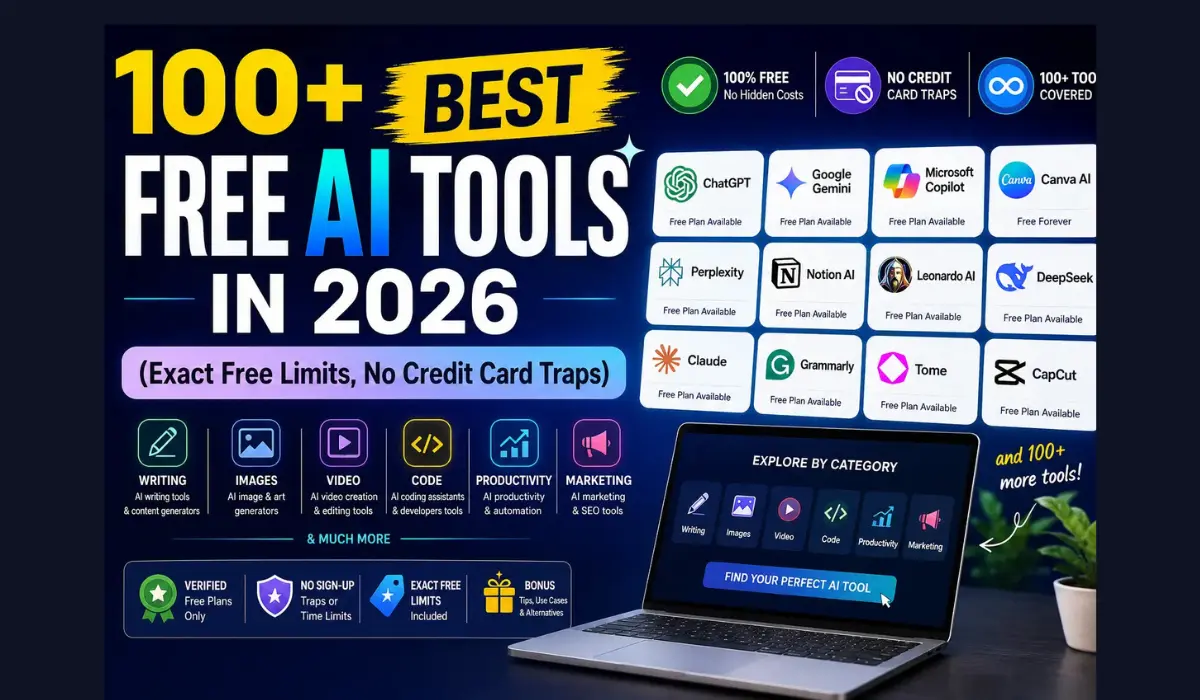
100+ Best Free AI Tools in 2026 (Exact Free Limits, No Credit Card Traps)
Most “best free AI tools” lists have the same problem: they call something free, and then you find out it’s a 3-day trial that wants your credit card on day one.
This list doesn’t do that.
Every tool below is either genuinely free forever, or free with a clear, specific limit — a number of credits, images, minutes, or messages — so you know exactly what you’re getting before you sign up.
Quick Answer
If you only read one section, read this one.
- Best free AI chatbot overall: ChatGPT (Free) — strong all-round model, image generation, and voice mode included at no cost.
- Best free AI for research: NotebookLM by Google — upload your own documents and get grounded, source-based answers instead of guesses.
- Best free AI image generator: Leonardo AI — daily credit refresh, no watermark, and commercial rights on the free plan.
- Best free AI coding assistant: GitHub Copilot Free or Windsurf (formerly Codeium) — real autocomplete and chat without a subscription.
- Best free AI video generator: Google Flow / Kling — daily credit refreshes make these usable for regular short clips.
- Best free AI for making money right now: ChatGPT + Canva + Grammarly — this exact combination covers writing, design, and editing for freelance work, at $0.
Free tiers change often — sometimes monthly. Treat every number in this article as accurate at the time of publishing, and double-check the tool’s official pricing page before you build a workflow around it. We’ll keep this updated, but AI companies move fast.
Table of Contents
- How We Picked These Tools
- AI Chatbots & AI Assistants
- AI Writing & Editing Tools
- AI Image Generators
- AI Video Generators
- AI Coding Assistants
- AI Research & Note-Taking Tools
- AI Productivity & Automation Tools
- AI Design & Presentation Tools
- AI Audio & Voice Tools
- AI SEO & Marketing Tools
- AI Resume & Career Tools
- How to Actually Make Money With Free AI Tools
- Free vs Paid: When You Should Actually Upgrade
- Common Mistakes People Make With Free AI Tools
- Myths vs Facts About Free AI Tools
- FAQs
- Key Takeaways & Action Checklist
How We Picked These Tools
We didn’t just Google “best AI tools” and copy the first ten names. Every tool on this list had to pass three tests:
- The free tier is real. You can create an account and use core features without entering a credit card.
- The limit is specific. “Free trial available” isn’t good enough. We list the actual number — credits per day, messages per month, minutes of audio, whatever applies.
- It’s still useful within that limit. A tool that gives you one image and then blocks you isn’t a free tool. It’s an ad for the paid plan.
A quick note on honesty: some “free” tools use a psychological trick called the export trap — you can create your work for free, but you have to pay to download or publish it. We flag this wherever it applies, so you don’t build something you can’t use.
1. AI Chatbots & AI Assistants
These are the general-purpose tools most people start with. Think of them as a very well-read assistant who never gets tired of your questions — but one who can also occasionally get facts wrong, so always double-check anything factual or numerical before you rely on it.
| Tool | Free Tier (Exact Limit) | Best For |
|---|---|---|
| ChatGPT (Free) | Unlimited basic chat; limited access to the latest reasoning model with usage caps that reset periodically; image generation included with daily limits | All-round writing, brainstorming, coding help |
| Claude (Free) | Daily message allowance that resets every few hours (varies by demand); access to a capable general model | Long documents, nuanced writing, careful reasoning |
| Google Gemini (Free) | Unlimited basic chat inside the Gemini app; integrates with Gmail, Docs, and Drive on a free Google account | Google Workspace users, research summaries |
| Microsoft Copilot | Free chat with GPT-based models; includes free image generation with a weekly “boost” allowance | Windows users, quick everyday questions |
| Perplexity (Free) | A daily allowance of searches using standard models, unlimited basic search | Fact-checked answers with citations |
| DeepSeek | Free unlimited chat on standard model; open-source, so it can also be self-hosted at zero cost | Budget-conscious users, developers |
| Meta AI | Completely free, unlimited chat inside WhatsApp, Instagram, and Messenger | Casual daily use inside apps you already use |
| Grok (via X) | Free tier with limited daily queries tied to an X account | Real-time topics and trending conversations |
| Pi.ai | Fully free, unlimited conversational use | Casual conversation, emotional check-ins, journaling |
| Mistral Le Chat | Free tier with generous daily message limits | Privacy-conscious users, EU-based data handling |
Our pick — ChatGPT (Free): It’s the most balanced starting point because it does five things reasonably well (chat, basic image generation, code help, file uploads, and voice mode) instead of one thing brilliantly. If you only install one AI app this year, this is the safe default.
Runner-up — Claude (Free): If your work involves long documents — contracts, research papers, big spreadsheets pasted in as text — Claude tends to hold context better across a long conversation. It’s also a strong pick if you want more careful, less overconfident answers.
Quick tip: Don’t pick just one. Keep ChatGPT and Claude both installed. When one gives you a mediocre answer, ask the other the same question. You’ll often get a noticeably better result the second time, for free.
2. AI Writing & Editing Tools
Chatbots write. These tools polish. Use them after you have a draft, not instead of one — AI-only writing tends to sound generic, and readers (and Google) can tell.
| Tool | Free Tier (Exact Limit) | Best For |
|---|---|---|
| Grammarly (Free) | Unlimited grammar and spelling checks; limited AI rewrite suggestions per month | Catching errors before you hit publish |
| QuillBot | Free paraphrasing up to a set word count per rewrite, unlimited uses | Rewording sentences, avoiding repetition |
| Hemingway Editor (Web) | Completely free, unlimited readability checks | Simplifying sentences, cutting passive voice |
| Wordtune | A monthly allowance of AI rewrites (resets each month) | Tone adjustments, shortening or expanding text |
| Rytr | A monthly character allowance for AI-generated content | Short-form copy: ads, bios, product descriptions |
| Copy.ai | A monthly word/credit allowance on the free workspace plan | Marketing copy, email templates |
| Notion AI | Limited free AI responses bundled inside a free Notion workspace | Writing inside notes and docs you already keep |
| Jenni AI | A limited free word allowance for AI-assisted writing | Academic writing, citations, essay structuring |
| ProWritingAid (Free) | Free grammar and style reports with a per-check word limit | Deeper style analysis (clichés, sentence variety) |
| Google Docs (built-in AI features) | Free with any Google account; smart compose and basic suggestions included | Everyday documents without installing anything |
Our pick — Grammarly (Free): It runs quietly in the background of almost anything you type — email, Google Docs, social posts — and it catches the kind of small errors that make writing look unprofessional. The free plan alone is enough for 90% of everyday writing.
Best for AI-generated first drafts — Copy.ai: If you need short marketing copy fast (an Instagram caption, a product description, a cold email opener), Copy.ai’s templates get you a usable first draft in seconds. Just plan to edit it — AI copy needs a human pass to sound like you.
3. AI Image Generators
Image generation is one of the fastest-moving categories in AI. Free limits here change often, so treat the numbers below as a snapshot and confirm on the tool’s site before you build a business around one.
| Tool | Free Tier (Exact Limit) | Commercial Use? |
|---|---|---|
| Leonardo AI | Roughly 100–150 credits per day (refreshes daily), no watermark | Yes, on free tier |
| Ideogram | A daily/weekly free image allowance (best-in-class at rendering readable text in images) | Limited — check current terms before commercial use |
| Adobe Firefly | A monthly free credit allowance | Yes — trained only on licensed content, the safest option legally |
| Microsoft Designer / Bing Image Creator | Free with a Microsoft account; runs on DALL·E-based models with “boost” credits that refresh weekly for faster generation | Generally yes, check Microsoft’s terms |
| Canva AI (Magic Media) | A monthly AI credit allowance bundled into the free Canva plan | Yes, within Canva’s free license terms |
| Google Gemini (Nano Banana / ImageFX) | Free image generation bundled into the free Gemini app with daily limits | Check current Google terms |
| Playground AI | A daily free image allowance, no watermark | Yes, on free tier |
| Stable Diffusion (self-hosted) | 100% free forever if you run it on your own computer; requires a decent GPU | Yes — depends on the specific model’s license |
| Krea AI | A limited daily free allowance for real-time generation | Check current terms |
| Recraft | Free daily generations for vector graphics and icons | Check current terms |
Our pick — Leonardo AI: For most beginners, this is the best balance of daily volume, quality, and cost. You get enough credits every day to experiment seriously — product mockups, blog headers, social graphics, character art — without watermarks eating into your output.
Best for commercial safety — Adobe Firefly: If you’re creating images for a client, a paid product, or anything where copyright risk actually matters, Firefly is the one major free tool trained exclusively on licensed and public-domain content. That legal clarity is worth more than a slightly prettier image from a competitor.
Important reality check: Midjourney, despite being the name most people associate with AI art, has had no meaningful free tier since 2023. If an article tells you Midjourney is free, that information is outdated.
4. AI Video Generators
AI video is newer and rougher around the edges than AI image generation. Expect short clips (3–10 seconds), occasional glitches with hands and fast motion, and watermarks on most free exports.
| Tool | Free Tier (Exact Limit) | Clip Length |
|---|---|---|
| Google Flow (Veo) | A daily free credit allowance for eligible accounts in supported regions | Short clips, varies by credit cost |
| Kling AI | A daily credit refresh — one of the most generous free allowances in this category | Short clips (a few seconds), watermarked on free tier |
| Pika | A monthly credit allowance | ~3-second clips |
| Runway | A one-time free credit batch (not a recurring monthly refresh) | Up to ~10 seconds, watermarked on free plan |
| Luma Dream Machine | A monthly free generation allowance | Short clips, good visual depth |
| InVideo AI | A weekly free allowance of stock-based AI video (minutes, not credits) | Up to several minutes per week |
| CapCut (AI features) | Free video editing app with AI tools (background removal, auto-captions) bundled in | Full-length edits, free |
| Clipchamp | Free, built into Windows; AI-assisted editing and templates | Full-length edits, free |
| HeyGen | A limited number of free avatar-video minutes on signup | Talking-head/avatar videos |
| Synthesia | A small number of free avatar video minutes on signup (varies by plan availability) | Talking-head/avatar videos |
Our pick — Kling AI: For creators who want to post short AI clips regularly (think social media b-roll or concept previews), Kling’s daily credit refresh means you’re not stuck waiting a month for your allowance to reset.
Reality check on Sora: OpenAI’s Sora access model has shifted more than once. At the time of writing, it does not have a standalone, no-strings free tier the way Kling or Google Flow do. If free Sora access matters to you, verify current availability directly on OpenAI’s site before planning around it.
5. AI Coding Assistants
If you write code — even occasionally — these tools save real hours. Here, “free” splits into two honest categories: capped-but-cloud-hosted tools, and open-source tools where you plug in your own model.
| Tool | Free Tier (Exact Limit) | Best For |
|---|---|---|
| GitHub Copilot (Free) | 2,000 code completions + 50 chat requests per month | Casual/hobby coding inside VS Code, JetBrains, Xcode |
| Windsurf (formerly Codeium) | Unlimited tab autocomplete on the free plan; limited “Cascade” agent sessions | Developers who want unlimited completions, not just chat |
| Cursor (Hobby) | A limited monthly pool of fast AI requests, then slower/deprioritized requests | Trying a full AI-native code editor before upgrading |
| Continue.dev | 100% free and open-source; bring your own API key or a local model | Full control, privacy, no vendor lock-in |
| Cline | Free, open-source agentic coding tool; connect any model | Multi-file autonomous coding tasks |
| Aider | Free, open-source command-line coding agent | Developers comfortable in the terminal |
| Amazon Q Developer | Free tier for individual/personal use | AWS-based projects |
| Tabnine | Free tier with basic AI code completion | Privacy-focused teams (code doesn’t leave your machine on some plans) |
| Google Gemini Code Assist | Free tier with monthly usage limits | Firebase/Google Cloud projects |
| Replit AI (Ghostwriter) | Free tier bundled into Replit’s free coding plan | Learning to code in the browser, no setup |
Our pick for most people — GitHub Copilot (Free): 2,000 completions a month sounds small until you realize that’s roughly 60–70 a day — plenty for a student, hobbyist, or anyone shipping side projects on evenings and weekends.
Our pick for power users — Windsurf: If you write code daily and don’t want to think about a completions counter, Windsurf’s unlimited autocomplete removes that anxiety entirely. You only hit a wall on the more advanced “agent mode” features.
The genuinely unlimited option — Continue.dev + a free model API: Connect Continue.dev (or Cline) to a free-tier API like Google’s Gemini or an open model through Groq, and you get an AI coding assistant with no monthly completion cap at all. It takes 10 extra minutes to set up. For heavy users, that’s the best long-term free stack.
6. AI Research & Note-Taking Tools
These tools are built to answer questions using your documents, not just general internet knowledge — which matters a lot if you care about accuracy.
| Tool | Free Tier (Exact Limit) | Best For |
|---|---|---|
| NotebookLM (Google) | Up to 100 notebooks, 50 sources per notebook, and generous per-notebook word limits — completely free | Studying, research synthesis, turning documents into audio summaries |
| Perplexity (Free) | Unlimited basic searches with citations, daily limit on advanced/”Pro” search | Fact-checked research with sources |
| Otter.ai | A monthly free transcription-minute allowance | Meeting transcripts and summaries |
| Fireflies.ai | A limited number of free transcription credits/minutes per month | Recording and summarizing calls |
| Fathom | Free unlimited meeting recording and AI summaries (for personal use) | Sales calls, recurring meetings |
| ChatPDF | A daily limit on the number of PDF pages/questions | Quick Q&A on a single document |
| Elicit | A limited number of free research paper searches/analyses per month | Academic literature reviews |
| Consensus | A limited number of free AI-summarized research answers per month | Finding scientific consensus on a claim |
| Scholarcy | A monthly free allowance of paper summaries | Speed-reading academic papers |
| Google Gemini in Docs/Drive | Free with any Google account | Summarizing files already in your Drive |
Our pick — NotebookLM: This is quietly one of the best free tools in this entire article. Upload your own PDFs, lecture notes, or reports, and it will only answer using those sources — which means far less hallucination than a general chatbot. The audio-overview feature (which turns your notes into a podcast-style conversation) is genuinely useful for reviewing material on a commute.
Best for citation-backed answers — Perplexity: When you need an answer with a source you can actually check, Perplexity shows its work. That transparency is worth more than raw creativity for research tasks.
7. AI Productivity & Automation Tools
These tools don’t generate content — they save you time by organizing, automating, or connecting the tools you already use.
| Tool | Free Tier (Exact Limit) | Best For |
|---|---|---|
| Notion (Free + AI add-on) | Free workspace plan; limited AI responses included or available as a paid add-on | All-in-one notes, tasks, and docs |
| Zapier | A monthly free “task” allowance connecting apps (e.g., Gmail to Slack) | No-code automation across 7,000+ apps |
| Make (formerly Integromat) | A monthly free operations allowance | Visual, more complex automation flows |
| Saner.AI | Free tier for personal task/note organization with AI search | Turning scattered notes into a searchable “second brain” |
| Todoist (AI features) | Free plan with limited AI-assisted task quick-add | Simple to-do lists with natural language input |
| ClickUp (Free + AI credits) | Free plan includes a small monthly AI credit allowance | Teams already using ClickUp for project management |
| Slack (AI features) | Limited free AI summary features on the free Slack plan | Catching up on missed channel messages |
| Google Workspace (Gemini) | Free with a personal Google account, some features tied to plan | Docs, Sheets, and Gmail smart replies |
| Motion (free trial only) | Time-limited free trial, then paid | Calendar/task auto-scheduling (evaluate before it converts to paid) |
| Trello (Butler automation) | Free automation “runs” allowance per month | Simple, rule-based board automation |
Our pick — Notion (Free): Even without paying for the AI add-on, Notion’s free plan is one of the most generous all-in-one workspaces available — unlimited pages for individuals, with the option to layer AI features in later.
Best for connecting your tools — Zapier: If you’re tired of copy-pasting data between apps, Zapier’s free tier is enough to automate two or three simple, high-value workflows (like saving form responses to a spreadsheet automatically).
8. AI Design & Presentation Tools
| Tool | Free Tier (Exact Limit) | Best For |
|---|---|---|
| Canva (Free + Magic Studio) | Free design plan with a limited monthly AI credit allowance (commonly around 50 credits for design tasks, plus a separate image-generation allowance) | Social graphics, presentations, simple video |
| Gamma | A limited number of free AI-generated presentations/credits on signup | Turning a text prompt into a full slide deck |
| Napkin AI | A free tier for turning written text into diagrams and visuals | Visual summaries, explainer graphics |
| Beautiful.ai | Free tier with limited presentations/slides | Quick, well-designed slide decks |
| Microsoft Designer | Free with a Microsoft account | Social posts, flyers, quick graphics |
| Looka | Free logo design preview (payment required to download high-res files — an export trap, so plan accordingly) | Logo concepting only, not final files |
| Framer AI | Free tier for building simple AI-generated websites | Landing pages without coding |
| Recraft | A daily free image/vector generation allowance | Icons, vector art, brand assets |
| Figma (AI features) | Free plan with limited AI feature access | UI/UX design collaboration |
Our pick — Canva: For non-designers, nothing beats the combination of ready-made templates plus AI features in one free tool. You can go from a blank page to a finished Instagram post, resume, or presentation in minutes.
Best for fast slide decks — Gamma: Type a topic, and Gamma builds a structured, styled presentation around it. It won’t replace a designer for a big-budget pitch, but for internal decks, class presentations, or quick client proposals, it saves real hours.
9. AI Audio & Voice Tools
| Tool | Free Tier (Exact Limit) | Best For |
|---|---|---|
| ElevenLabs | A monthly free character allowance for text-to-speech | Realistic voiceovers, audiobook samples |
| Murf AI | A limited number of free voiceover minutes on signup | Presentation and explainer voiceovers |
| Suno | A limited number of free song generations per day/month | AI-generated music with vocals |
| Udio | A limited number of free song generations per month | AI music creation, different style engine than Suno |
| Adobe Podcast (Enhance Speech) | Free audio-cleanup tool, no account limits on basic enhancement | Removing background noise from recordings |
| Descript | A limited number of free transcription minutes per month | Podcast/video editing by editing text |
| Play.ht | A limited monthly free character allowance for text-to-speech | Website/article narration |
| Voicemod | Free real-time voice changing with limited voice library | Streaming, gaming, fun voice effects |
Our pick — ElevenLabs: The realism of the free voices is genuinely close to human, which makes it the easiest entry point for anyone who needs a voiceover but can’t hire a voice actor yet.
10. AI SEO & Marketing Tools
| Tool | Free Tier (Exact Limit) | Best For |
|---|---|---|
| Google Search Console | 100% free, unlimited | Seeing exactly how your site ranks (non-negotiable, regardless of budget) |
| Ubersuggest | A limited number of free searches per day | Basic keyword ideas and volume estimates |
| AnswerThePublic | A limited number of free searches per day | Finding question-based keywords |
| Copy.ai | Monthly free word/credit allowance | Meta descriptions, ad copy, email subject lines |
| HubSpot AI tools | Free tier bundled into HubSpot’s free CRM plan | Small businesses managing leads and content together |
| Hootsuite OwlyWriter AI | Limited free AI captions bundled into Hootsuite’s free trial | Social media caption generation |
| Buffer (AI Assistant) | Free plan includes limited AI caption generation | Scheduling + AI captions in one place |
| Google Trends | 100% free, unlimited | Confirming a topic is actually being searched before you write about it |
Our pick — Google Search Console + Google Trends: They’re not flashy, but they’re the only two tools on this list that show you real, first-party data about what people search for and how your content performs. Every other SEO tool is estimating Google’s real numbers; these two are the numbers.
11. AI Resume & Career Tools
| Tool | Free Tier (Exact Limit) | Best For |
|---|---|---|
| Kickresume | Free resume builder with limited AI suggestions | Quick resume formatting |
| Rezi | Free tier with limited AI content suggestions | ATS-friendly resume scoring |
| Teal | Free tier for job tracking plus basic resume tools | Organizing job applications |
| LinkedIn (AI features) | Free with any LinkedIn account | AI-assisted headline and About-section suggestions |
| Careerflow | Free tier for resume/LinkedIn optimization | Job seekers wanting an all-in-one dashboard |
12. How to Actually Make Money With Free AI Tools
Here’s the honest part most “make money with AI” articles skip: AI tools don’t make you money by themselves. They make you faster at doing something someone is already willing to pay for. Your job is to pick one of the paths below and combine two or three free tools into a simple system.
Path 1: Freelance writing or content creation
Tools: ChatGPT (drafting) + Grammarly (editing) + Canva (visuals) Offer blog writing, product descriptions, or social captions on Upwork or Fiverr. AI gets you a first draft in minutes; your editing and industry knowledge are what a client actually pays for.
Path 2: Freelance design and social media management
Tools: Canva + Leonardo AI + Buffer Small businesses constantly need social graphics and a consistent posting schedule. This stack lets you design, generate custom images, and schedule — all from free tiers.
Path 3: AI-assisted video content (faceless YouTube/TikTok channels)
Tools: ChatGPT (scripts) + ElevenLabs (voiceover) + CapCut (editing) + Kling or InVideo AI (b-roll) This is genuinely one of the more time-intensive paths — expect weeks of consistent posting before hitting most platforms’ monetization thresholds. Treat any “$500/month in 30 days” claim you see elsewhere with skepticism; real income timelines vary enormously and platform monetization rules change often.
Path 4: Digital products
Tools: ChatGPT (outlines) + Canva (design) + Gamma (if it’s a slide-based product) Templates, workbooks, and Notion systems can be built once and sold repeatedly on platforms like Gumroad. The free tools get you to a finished product; your specific expertise is what makes people buy it.
Path 5: No-code automation services
Tools: Zapier or Make (free tier) + ChatGPT Small businesses will pay for someone to connect their disconnected tools — for example, automatically saving website form leads into a spreadsheet and sending a welcome email. This is a legitimate freelance service in its own right.
Honest expectation-setting: Free AI tools remove cost as a barrier. They do not remove the need for a real skill, a niche, and consistency. Anyone promising guaranteed income figures from AI tools alone is overselling what the tools can do.
13. Free vs Paid: When You Should Actually Upgrade
| Signal | What It Means |
|---|---|
| You hit your daily/monthly limit 3+ days in a row | You’ve outgrown the free tier for that specific tool |
| You need commercial rights the free tier doesn’t clearly grant | Legal risk is a real reason to pay, not just convenience |
| You need team/collaboration features | Most free tiers are built for individuals, not teams |
| You need faster or more advanced models | Free tiers often route you to a lighter, slower, or older model |
| You’re generating income directly from the tool’s output | If the tool is making you money, its cost is a business expense, not a luxury |
If none of these apply to you yet, stay on the free plan. There’s no reward for upgrading early.
14. Common Mistakes People Make With Free AI Tools
- Stacking ten tools instead of mastering two or three. More tools means more context-switching, not more output.
- Publishing AI output without editing it. Unedited AI writing tends to sound generic and is increasingly easy for both readers and search engines to spot.
- Ignoring the “export trap.” Some tools let you create for free but charge to download — check this before you invest hours into a project.
- Assuming free tiers stay the same forever. Several tools on this list have cut free credits in the past year. Revisit your stack every few months.
- Trusting AI-generated facts and numbers without checking them. Even the best chatbots occasionally state incorrect facts confidently. Verify anything that matters — dates, statistics, legal or medical information.
15. Myths vs Facts About Free AI Tools
| Myth | Fact |
|---|---|
| “Free AI tools are just watered-down demos.” | Some are genuinely full-featured for individual use — NotebookLM and Continue.dev are strong examples. |
| “AI tools will replace the need for skills.” | AI speeds up execution; it doesn’t replace judgment, taste, or expertise in your field. |
| “All AI-generated content sounds the same.” | Only when it’s unedited. A human editing pass is what makes AI-assisted content sound original. |
| “Midjourney is free if you know the right trick.” | It has had no meaningful free tier since 2023. This is one of the most repeated pieces of outdated advice online. |
| “More free tools = more productivity.” | Past 2–3 core tools, added tools tend to add friction, not output. |
16. FAQs
Are these AI tools really free, or do they require a credit card?
Every tool listed here can be used without entering payment information for its free tier. Some paid upgrades within the same tool may ask for a card only when you choose to upgrade — not to access the free plan.
Which free AI tool is best for complete beginners?
ChatGPT (Free). It has the lowest learning curve, works instantly in a browser, and can help with almost any starting task — writing, brainstorming, or explaining a concept in plain language.
Can I really make money using only free AI tools?
Yes, but the tools are the accelerator, not the income source. You still need a specific skill, service, or product that someone is willing to pay for. Free tools remove the cost barrier to getting started.
Do free AI tools own the rights to what I create?
This varies by tool and changes over time, so always check the specific tool’s current terms before using output commercially. As a general rule, tools like Adobe Firefly are built specifically for commercial safety, while some free image tiers reserve broader usage rights for the company.
Why do free AI tool limits keep changing?
AI compute is expensive, and companies adjust free tiers based on cost, competition, and user growth. Several tools mentioned in this article have reduced or increased their free limits within the past year. Always check the official pricing page before relying on a specific number for ongoing work.
Is it safe to put sensitive information into free AI tools?
Be cautious. Most free-tier cloud AI tools may use your inputs to improve their models unless you specifically opt out (where that option exists) or use a business/paid plan with stricter data terms. Avoid entering confidential client data, passwords, or sensitive personal information into free consumer AI tools.