
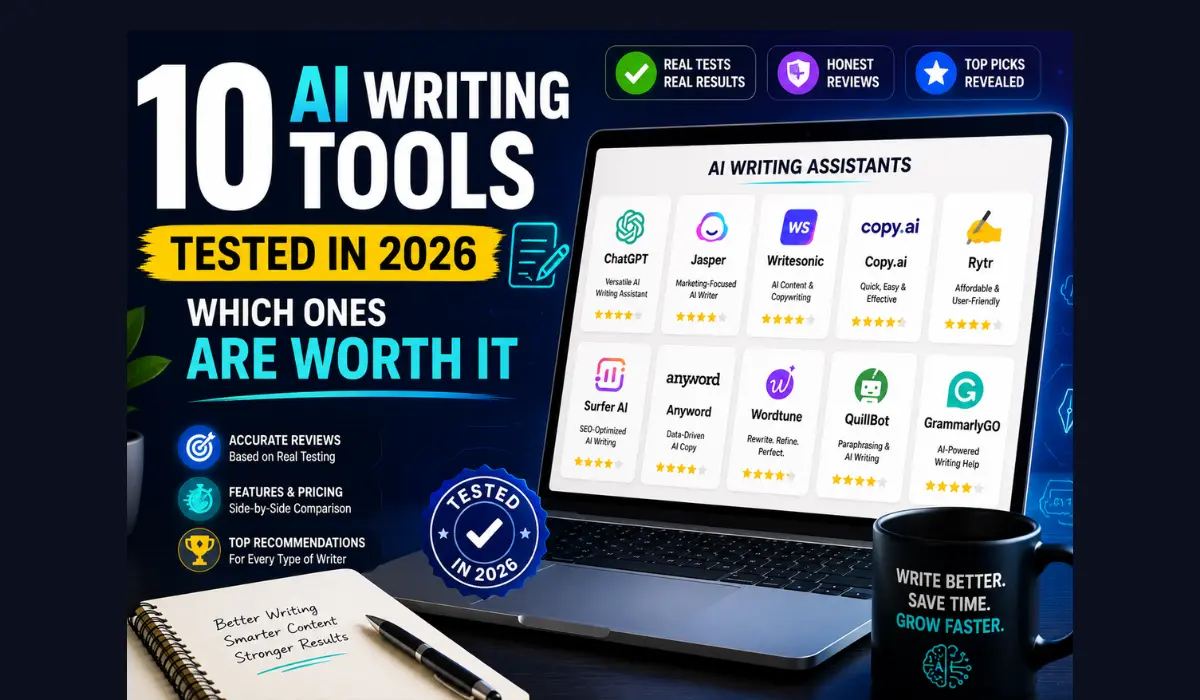
10 AI Writing Tools Tested in 2026: Which Ones Are Worth It
Every AI writing tool’s homepage says the same thing: “the best AI writer.” That’s marketing. It’s not proof.
So instead of repeating feature lists, this article pulls directly from real user reviews on G2, Capterra, and Reddit — the actual sentences people wrote after paying for these tools and using them for months. Where a review is quoted, it’s attributed to its source. Everything else is a summary of the pattern we found across hundreds of reviews per tool.
No invented testimonials. No made-up ratings. If a number or quote appears below, it came from a public review page, and we’ve linked the platform it came from.
Looking for a broader list, not just writing tools? Our 100+ Best Free AI Tools in 2026 guide covers image generators, coding assistants, video tools, and more — each with the exact free limit listed.
Quick Answer
- Best overall for most writers: ChatGPT — the most reviewed, most versatile, and the one people default back to even after trying others.
- Best for long-form, natural-sounding prose: Claude — reviewers repeatedly describe it as “less robotic” and better at holding tone across long documents.
- Best for marketing teams needing brand consistency: Jasper — higher price, but G2 reviewers rate it highly for structured, on-brand output.
- Best for fiction and creative writing: Sudowrite — built only for fiction, and it shows in both the praise and the narrow use case.
- Best for grammar and polish, not generation: Grammarly — the highest satisfaction scores of any tool here, but it’s an editor, not a writer.
- Best budget option: Rytr — cheapest paid tier by far, with reviewers consistently calling it “good enough” for short-form work.
- Skip if you need long-form or factual content: Copy.ai — strong for short marketing copy, but Trustpilot reviews (which aren’t incentivized) show a big trust gap compared to G2.
Table of Contents
- How We Compiled These Reviews
- ChatGPT
- Claude
- Jasper
- Copy.ai
- Grammarly
- QuillBot
- Writesonic
- Sudowrite
- Anyword
- Rytr
- Side-by-Side Comparison Table
- Which One Is Actually Worth It? (By Use Case)
- Common Complaints Across Every Tool
- FAQs
- Key Takeaways
How We Compiled These Reviews
For each tool, we read through verified reviews on G2 and Capterra (both require some form of reviewer verification), plus Reddit and Trustpilot threads, which tend to surface more negative feedback since they aren’t run through a vendor’s review-collection flow.
We looked specifically for:
- Recurring praise that showed up across many reviewers, not just one enthusiastic post
- Recurring complaints, especially ones serious enough that people mentioned canceling or switching tools
- The gap between “official” review sites (G2, Capterra) and unfiltered ones (Reddit, Trustpilot) — a large gap is itself useful information
One honest caveat: review platform scores shift monthly, and some listings mix incentivized and organic reviews. Treat every rating below as a snapshot, and check the live page if the exact number matters to your decision.
1. ChatGPT
What it’s for: General-purpose writing — outlines, first drafts, emails, brainstorming, and light research summarizing.
What real users say: The most common praise across reviews is speed and versatility. One Capterra reviewer, a full-stack developer, described it as fast, easy to learn, and helpful for daily work spanning writing, coding, and learning new things. A blogger reviewing it for content work reported it cut her blog-outlining time from hours down to a fraction of that, though she was clear it doesn’t replace her final drafts, only speeds up the starting point.
The complaints are consistent too. Multiple reviewers flagged that it isn’t always accurate on newer information and can restrict some content based on its own policies, and one long-time user noted it sometimes invents information entirely, so answers still need a manual check before publishing. Several reviewers specifically warned that unedited ChatGPT content reads as generic — the tool helps you start, not finish.
| Free Tier | Pricing | G2/Capterra Sentiment |
|---|---|---|
| Unlimited basic chat, usage-capped access to top models | Free, or ~$20/month for Plus | Consistently high, biggest complaints are occasional factual errors and rising cost |
Pros: Fastest way to get from blank page to structured draft. Works for nearly every writing task. Huge community means troubleshooting is easy. Cons: Requires fact-checking. Output needs a human editing pass to avoid sounding generic. Long conversations can lose context.
2. Claude
What it’s for: Long-form writing, nuanced editing, and documents where tone needs to stay consistent across many pages.
What real users say: The pattern across reviews is specific: people consistently say Claude sounds less like a robot. One G2 reviewer comparing it to a competitor said flatly that Claude generates a more human voice than other AI text generators, while another reviewer testing it for marketing work said it helped with emails, blog articles, brainstorming, and business ideas, noting it holds more context from background material than some alternatives.
A tester who documented two weeks of daily use for writing and long documents found it kept structure and tone consistent through long pieces — something they said most AI tools struggle with — though they also noted it can be “a little too apologetic” when it catches its own mistake, and it won’t remember past chats unless you set up a persistent project.
| Free Tier | Pricing | G2/Capterra Sentiment |
|---|---|---|
| Daily message allowance, resets periodically | Free, or ~$20/month for Pro | Praised specifically for natural tone and long-document consistency |
Pros: Best-reviewed for writing that doesn’t sound AI-generated. Strong at holding structure across long pieces. Rarely mixes up facts compared to competitors, though it isn’t immune to mistakes. Cons: No persistent memory by default. Free tier message limits frustrate heavy users. Can be overly cautious in tone.
3. Jasper
What it’s for: Marketing teams that need on-brand content at volume — blog posts, ad copy, and email campaigns with consistent brand voice.
What real users say: Reviewers consistently point to two things: a clean, easy interface, and genuine time savings for teams producing content daily. One G2 reviewer specifically praised the interface, saying it made the platform easy for anyone to get started with the platform, while another highlighted the Surfer SEO integration as a standout for optimizing content before it’s published.
The complaints are just as consistent: cost and inconsistency. Multiple reviewers describe a steep learning curve to unlock the platform’s full value, and G2’s own pros-and-cons aggregation notes that users report inconsistent AI quality, leading to lackluster content and frequent glitches. Independent 2026 reviews also flag that Jasper, like any LLM-based tool, will sometimes invent statistics or citations when it doesn’t have verified data — something reviewers list as their top concern.
| Free Tier | Pricing | G2/Capterra Sentiment |
|---|---|---|
| No permanent free tier; 7-day trial (requires card) | ~$49–69/month for individuals, higher for teams | 4.7–4.8/5 on G2 and Capterra; praised for brand consistency, criticized for price and occasional glitches |
Pros: Strong brand-voice training for teams. Built-in SEO workflow via Surfer integration. High satisfaction among marketing teams producing content daily. Cons: No free plan, and the trial requires a card upfront. Pricier than general chatbots for similar output. Reviewers report inconsistent quality and occasional platform glitches.
4. Copy.ai
What it’s for: Short-form marketing copy — ad variations, social captions, email openers, and quick product descriptions.
What real users say: This is the tool with the widest gap between review platforms, and that gap is the story. G2 shows a high rating, but Trustpilot — which doesn’t allow incentivized reviews — shows a dramatically lower score, with complaints centered on billing and difficulty canceling. One widely cited example involved a user who thought they had canceled and was still charged hundreds of dollars annually.
Where people are happy: fast generation for short content and genuinely useful templates. A Capterra reviewer summed up the sweet spot well, noting it works best for time-saving short-form content like product descriptions, emails, and newsletters, but flagged it needs more training for anything more complex. Multiple independent 2026 reviews found the same failure pattern on long-form content: generic phrasing and occasional fabricated statistics that required fact-checking before publishing.
| Free Tier | Pricing | G2/Capterra Sentiment |
|---|---|---|
| Free entry tier, credit-based | Self-serve ~$49/month; enterprise plans run much higher | Strong on G2 (4.8/5), weak on Trustpilot (1.9/5) — billing complaints drive the gap |
Pros: Fast for short-form marketing copy. Clean templates for cold emails and captions. Genuinely useful for beating writer’s block on quick tasks. Cons: Reviewers report billing and cancellation friction. Weak for long-form or fact-based content. Pricing jumps sharply between tiers with little in between.
5. Grammarly
What it’s for: Catching grammar, clarity, and tone issues in writing you’ve already drafted — not generating new content.
What real users say: Grammarly has some of the most consistent praise of any tool in this list. A Capterra review of the business plan called it easy to use, accurate with real-time suggestions, and reliable for maintaining a consistent brand voice across a team. Reviewers who write in a second language specifically call it out as valuable — one G2 reviewer described it as their “partner in crime” for communicating clearly at work.
The complaints are narrower and more specific than most tools here: some reviewers find the suggestions overly aggressive or repetitive, one Capterra review flagged that its AI-content detector isn’t reliable, and a few noted the desktop app can be heavy on system resources. Nobody in the reviews we found described Grammarly’s core grammar-checking as unreliable — the complaints are almost entirely about the newer generative features layered on top.
| Free Tier | Pricing | G2/Capterra Sentiment |
|---|---|---|
| Unlimited grammar checks, limited AI rewrites | Free, or ~$12/month for Pro | Consistently the highest satisfaction of any tool in this article |
Pros: Best-reviewed grammar and clarity checking available. Works across browser, Word, Gmail, and Slack. Free tier alone is genuinely useful daily. Cons: Not a content generator — it improves writing, it doesn’t create it. AI-content detection features are unreliable per reviewers. Suggestions can occasionally over-correct or feel repetitive.
6. QuillBot
What it’s for: Paraphrasing, rewording, and cleaning up sentences you’ve already written — closer to a rewriting assistant than a content generator.
What real users say: The recurring theme: genuinely useful for rewording, but it can shift your intended meaning if you’re not careful. One Capterra reviewer put it simply, noting it gives unique, non-plagiarized content and lets you pick from several tones, but added that it can sometimes change the overall message of your content and requires care.
Price is the other recurring complaint. A G2-sourced review noted a user asking why they would pay almost $100 for what felt like limited features, and other reviewers echoed that the premium tier feels expensive relative to the free plan’s 125-word paraphrasing cap.
| Free Tier | Pricing | G2/Capterra Sentiment |
|---|---|---|
| Free tier limited to short paraphrases (~125 words), 2 writing modes | ~$8–20/month depending on billing term | 4.3–4.4/5 across G2 and Capterra; praised for ease of use, criticized on pricing |
Pros: Excellent for sentence-level rewording and grammar cleanup. Low learning curve — no prompting skill needed. Integrates with Word and Google Docs. Cons: Free plan’s word cap is restrictive for regular use. Can alter meaning if used carelessly. Premium pricing feels steep relative to what it does.
7. Writesonic
What it’s for: Long-form blog content with SEO structure baked in, plus a writing-assistant layer for grammar and style.
What real users say: Reviewers describe it as a strong starting point for blog posts specifically. One Capterra reviewer said it gets you about 75-80% of the way to a completed blog post, with minimal editing required, but flagged that longer content can sound repetitive and feel like it’s writing for search engines rather than people.
Several reviewers directly compare it to ChatGPT, and the split is telling — one reviewer replaced Writesonic with ChatGPT specifically because Writesonic lacked live data access, while another kept both, using Writesonic for creative content generation and ChatGPT for technical questions.
| Free Tier | Pricing | G2/Capterra Sentiment |
|---|---|---|
| Limited free trial word count | Plans typically start around $19–39/month | Generally positive for blog-length SEO content, mixed on long-form originality |
Pros: Strong head start on SEO-structured blog posts. Built-in grammar and style layer. Good for teams producing high volumes of on-topic content. Cons: Long-form output can feel repetitive without heavy editing. Lacks live web data compared to newer chatbots. Free trial word count is limited for serious testing.
8. Sudowrite
What it’s for: Fiction writing specifically — novels, short stories, and screenplays. Not built for blogging, marketing, or business writing.
What real users say: This is the most polarizing tool on the list, and the reviews explain exactly why: it’s excellent at one narrow thing. A G2 reviewer working as a virtual assistant described it as having no real competition for fiction work, saying it helps take writing to new heights and feels like having a writing companion when searching for the perfect word, specifically praising the Story Bible feature for keeping novels consistent across chapters.
But multiple 2026 reviews are equally clear that it’s the wrong tool outside fiction — one review scored it 4.2/5 for creative writers and 2.5/5 for everyone else, and another flagged that it has no export to standard formats like DOCX or EPUB, meaning writers still need a separate tool to actually publish their finished manuscript.
| Free Tier | Pricing | G2/Capterra Sentiment |
|---|---|---|
| Free trial, roughly 20,000 words | Starts around $19/month, higher tiers to ~$44–99/month | Very high satisfaction among fiction writers, low relevance outside that niche |
Pros: Purpose-built for fiction — nothing else on this list matches it there. Story Bible keeps long novels consistent. Strong tools for overcoming writer’s block on creative prose specifically. Cons: No free permanent plan. No export to DOCX, EPUB, or PDF. Actively a poor fit for blogging, SEO, or business writing.
9. Anyword
What it’s for: Performance marketing copy — ads and campaigns where you want a predicted conversion score before you spend money publishing.
What real users say: The Predictive Performance Score is the single most-mentioned feature across reviews, and it’s consistently described as the reason people choose Anyword over general writing tools. One reviewer, a software engineer, said the platform’s AI-driven suggestions are very accurate and save a lot of time, while a content creator reviewing it on G2 noted suggestions can feel a little repetitive when working on longer content.
The complaint that shows up most is a learning curve — one HR reviewer on G2 said the dashboard takes a bit of time to get used to, and several reviewers noted the strongest predictive features are gated behind higher-priced tiers, meaning the entry plan doesn’t show the full value the product is known for.
| Free Tier | Pricing | G2/Capterra Sentiment |
|---|---|---|
| No permanent free tier; trial available | Starts ~$39/month for solo users, scales with team size | Strong for performance marketers specifically, described as niche outside that use case |
Pros: Predictive scoring is a genuine, hard-to-replicate differentiator. Well-reviewed specifically for paid ad copy. Useful audience-targeting features for segmented campaigns. Cons: Dashboard has a real learning curve for new users. Best features are locked behind higher tiers. Less useful if you’re not running measurable ad campaigns.
10. Rytr
What it’s for: Budget-friendly short-form writing — social captions, product descriptions, and quick first drafts for solo creators.
What real users say: Price-to-value is the recurring theme. A Trustpilot reviewer called it ridiculously cheap for what it does, and multiple reviewers across platforms describe getting usable output within minutes of signing up, with no real learning curve.
The trade-off shows up consistently too: reviewers moving from Rytr to pricier tools like Jasper or Writesonic note that output quality doesn’t scale well for longer content. A G2 reviewer also flagged weak brand-voice consistency, noting you have to keep re-adding the same tone instructions to every prompt rather than the tool remembering your style.
| Free Tier | Pricing | G2/Capterra Sentiment |
|---|---|---|
| Free tier: 10,000 characters/month | Paid plans from roughly $7.50–29/month | 4.3–4.4/5 across platforms; consistently praised for price, limited for long-form scaling |
Pros: Cheapest paid tier of any tool in this list. Fast, low learning curve, good for short-form tasks. Genuinely useful free plan for testing before you commit. Cons: Doesn’t scale well for long-form or in-depth content. Weak at holding a consistent brand voice without repeated prompting. Editor and chat interfaces feel disconnected from each other.
11. Side-by-Side Comparison Table
| Tool | Best For | Free Tier? | Starting Paid Price | Biggest Reviewer Complaint |
|---|---|---|---|---|
| ChatGPT | General writing, all-round use | Yes | ~$20/mo | Needs fact-checking |
| Claude | Long-form, natural tone | Yes | ~$20/mo | No persistent memory by default |
| Jasper | Brand-consistent marketing content | No (trial only) | ~$49/mo | Price and occasional glitches |
| Copy.ai | Short-form marketing copy | Yes | ~$49/mo | Billing/cancellation complaints |
| Grammarly | Grammar and editing | Yes | ~$12/mo | Doesn’t generate new content |
| QuillBot | Paraphrasing and rewording | Yes (limited) | ~$8–20/mo | Can shift meaning; premium feels pricey |
| Writesonic | SEO blog content | Trial only | ~$19–39/mo | Long-form can feel repetitive |
| Sudowrite | Fiction writing | Trial only | ~$19/mo | Useless outside fiction, no export formats |
| Anyword | Performance ad copy | No (trial only) | ~$39/mo | Learning curve; best features gated |
| Rytr | Budget short-form writing | Yes | ~$7.50/mo | Doesn’t scale to long-form |
12. Which One Is Actually Worth It? (By Use Case)
- You’re a beginner who wants one tool for everything: ChatGPT. It’s the most reviewed, most flexible, and cheapest way to cover 80% of writing needs.
- You write long-form content and want it to sound human: Claude. Reviewers consistently single out its tone over competitors.
- You run a marketing team producing daily branded content: Jasper, if the price fits your budget and volume justifies it.
- You need cheap, fast, short-form copy and don’t mind editing: Rytr or Copy.ai — but read Copy.ai’s Trustpilot reviews before you enter a card number.
- You’re a fiction writer: Sudowrite, paired with a separate export/formatting tool since Sudowrite doesn’t publish finished files.
- You already write your own drafts and just need error-catching: Grammarly. It’s not competing with the tools above — it works alongside them.
- You run paid ad campaigns and want predictive scoring: Anyword, once your team is big enough to justify moving past the entry tier.
A pattern worth noticing: almost none of the positive reviews across any tool describe publishing the AI’s output untouched. The consistent theme, across every platform and every tool, is that these are drafting accelerators. The editing is still yours to do.
13. Common Complaints Across Every Tool
Reading hundreds of reviews across ten tools surfaces the same handful of complaints, almost regardless of which tool you check:
- Factual accuracy needs checking. This shows up in reviews for ChatGPT, Copy.ai, and Jasper specifically — all three are flagged by reviewers for occasionally generating statistics or citations that don’t hold up.
- Long-form output needs more editing than short-form. Copy.ai, Writesonic, and Rytr reviewers all describe the same pattern: great for a caption, weaker for a full article without a real editing pass.
- Pricing tiers jump sharply. Copy.ai and Jasper reviewers both mention large gaps between the entry tier and the next one up, with little middle ground.
- Brand voice consistency takes setup. Rytr and Jasper reviewers both note that without repeated tone instructions, output drifts — Jasper’s brand-voice training is the more mature solution to this specific complaint.
14. FAQs
Which AI writing tool has the best reviews overall?
Grammarly has the most consistently positive sentiment of any tool in this comparison, though it’s an editor rather than a content generator. Among generation tools, ChatGPT and Claude have the strongest and broadest praise.Is Copy.ai actually bad, given the Trustpilot score?
Not necessarily bad — but the gap between its G2 rating and its Trustpilot rating is unusually wide, and Trustpilot doesn’t allow incentivized reviews. That gap is worth reading into before committing to an annual plan.Can I use these tools without my content sounding like AI wrote it?
Reviewers across every tool agree on one thing: unedited AI output tends to read generically. The tools that get the best real-world reviews (Claude, Grammarly) are consistently the ones people use as a drafting or polishing step, not a publish-as-is step.Do any of these tools have a genuinely useful free plan?
Yes — ChatGPT, Claude, Grammarly, QuillBot, and Rytr all have free tiers reviewers describe as usable, not just a teaser. Jasper, Sudowrite, and Anyword only offer time-limited trials, and Jasper’s trial requires a credit card upfront.Which tool should a fiction writer choose?
Sudowrite is the clear specialist here based on reviews, but plan to pair it with a separate tool for exporting and formatting your finished manuscript, since that’s a documented gap reviewers flag.Which tool is best for someone who already writes well and just wants error-catching? Grammarly. It’s built for exactly that job and has the strongest reviewer consensus of any tool in this list for it.
15. Key Takeaways
- No tool eliminates editing. Across every single platform reviewed, the consistent advice from real users is to treat AI output as a first draft, not a final one.
- Review platforms tell different stories. Checking G2 alone isn’t enough — Trustpilot and Reddit surface complaints (billing, cancellation, quality drift) that incentivized review platforms often don’t.
- Specialists beat generalists in their lane. Sudowrite for fiction and Anyword for ad copy both outperform general chatbots specifically because they’re narrow — but that narrowness is also their biggest limitation.
- Free tiers are genuinely usable for half of these tools. ChatGPT, Claude, Grammarly, QuillBot, and Rytr all let you properly test the product before paying anything.
- Price gaps matter as much as features. Jasper and Copy.ai reviewers both flag steep jumps between tiers — check the plan you’d actually need before comparing sticker prices.